Product details
- Type
- Game, delivered as a code
- Platform
- Steam
- Region
- REGION FREE
- Delivery
- To your account and email after payment
- Payment
- Azvoro balance
Description
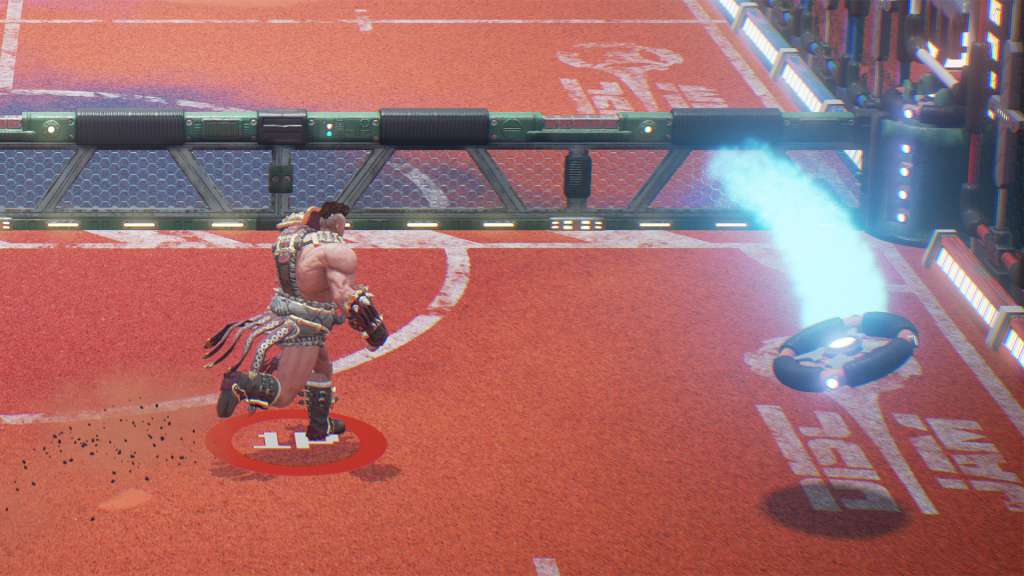
A fast-paced action-sports game that pits 2-4 players against each other in a unique combination of air hockey and tennis. Players scramble to retrieve and throw a glowing disc while unleashing devastating abilities and defending their end zone. An exciting blend of strategy and skill, this arcade-inspired title boasts a zany roster of characters to compete with friends both on the couch and online. Features Fast-paced arcade-inspired gameplay Proprietary netcode designed to deliver fluid and responsive gameplay online Support for splitscreen and couch play A zany roster of characters, each with different styles and abilities Invite your friends to a party and play against other teams online
How to activate
"Please remember that we are NOT responsible for any problems that may arise from purchasing and using Steam Gifts. You are doing it at your own risk. "Please note, that due to recent Valve https://support.steampowered.com/kb_article.php?ref=1327-WUJX-5722 Steam Gifts for games that are covered by VAC ban program can no longer be added to Inventory. Make sure that you are logged in to the proper account before entering the link as Steam Gifts can be only added to your library or rejected. How do I use a Steam gift given to me? If you do not already have Steam, download and install Steam http://store.steampowered.com/about/. Once you have Steam installed, you will be prompted to create an account or login to an existing Steam account. If you do not have an account, please create one. You will receive an e-mail containing a link that will open Steam allowing you to redeem your gift. After clicking the link, you will receive a notification at the top right corner in the Steam client informing that you have a new gift.