Product details
- Type
- Game, delivered as a code
- Platform
- Steam
- Region
- EUROPE
- Delivery
- To your account and email after payment
- Payment
- Azvoro balance
Description
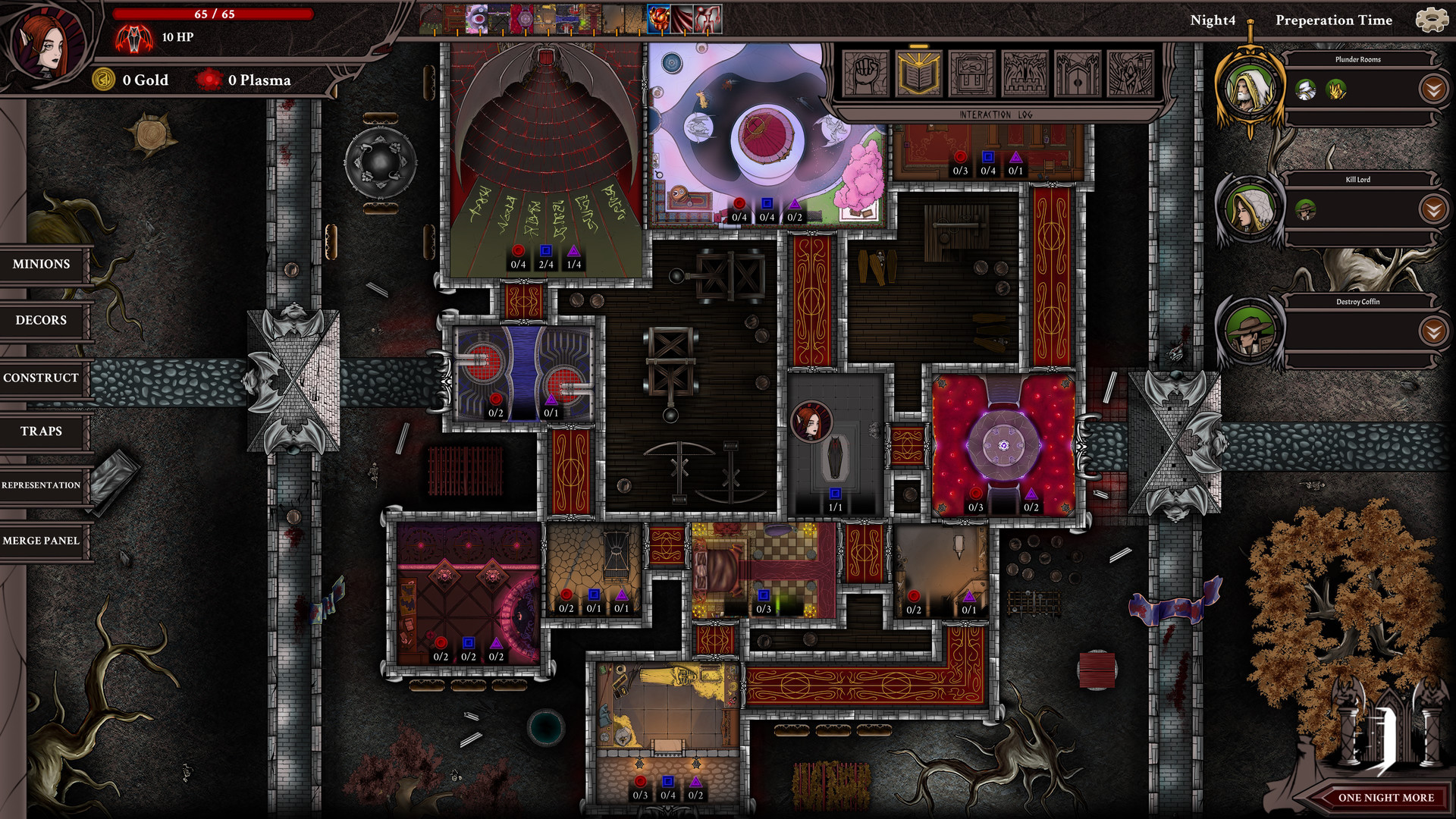
Conquer castles and claim your birthright!The fight to reclaim your place in this world begins. Rebuild lost ruins, make them stronger and defend them against your enemies. After you regain your strength, move on to conquer more territories and eventually claim your birthright.Few Nights More offers the unique fusing of castle management and turn based rogue-like combat. Fight against humanity, the undisputed masters of this world in your absence. Choose between eight different Vampire Lords, each with their own ambition and history. Find your trinkets, skills and perks along your way. Design your very own castle by placing the right rooms, adding decors that directly contribute to your army and your Vampire Lord. Conquer more castles so your influence and power grow, until you claim your birthright. Core Features Design your castle by adding new Rooms, Traps and Minions. Stack up on some buffs with shiny decors to get ready for the invasion screen to defend it to the end of every night! Choose among 4 different Vampire Lords with unique History, Gameplay and Abilities. Master 1 out of 2 Disciplines each time you play, each with 45 unique skills. Acquire new random skills, perks and trinkets to survive the nights. Excel in either being a Prestigious Vampire, a Seductive one, or master a Terrifying presence against your enemies. Help yourself out with a Visiting Merchant. Test the builds you made against a big variety of Hunters, Veterans and Unique Bosses in an action packed turn based combat system. Try to survive Act 1 and Act 2 with five difficulty levels. Gain Heritage Points to increase your lord's starting stats, skills, unlock new castles, talents for each lord. Full release will bring +15 difficulty levels, 4 more Vampire lords, 2 new Disiplines, the Deity system and many new skills, hunters, trinkets and so on!
How to activate
Go to: http://store.steampowered.com/ and download STEAM client Click "Install Steam" (from the upper right corner) Install and start application, login with your Account name and Password (create one if you don't have). Please follow these instructions to activate a new retail purchase on Steam: Launch Steam and log into your Steam account. Click the Games Menu. Choose Activate a Product on Steam... Follow the onscreen instructions to complete the process. After successful code verification go to the "LIBRARY" tab and start downloading.