Product details
- Type
- Game, delivered as a code
- Platform
- Steam
- Region
- REGION FREE
- Delivery
- To your account and email after payment
- Payment
- Azvoro balance
Description
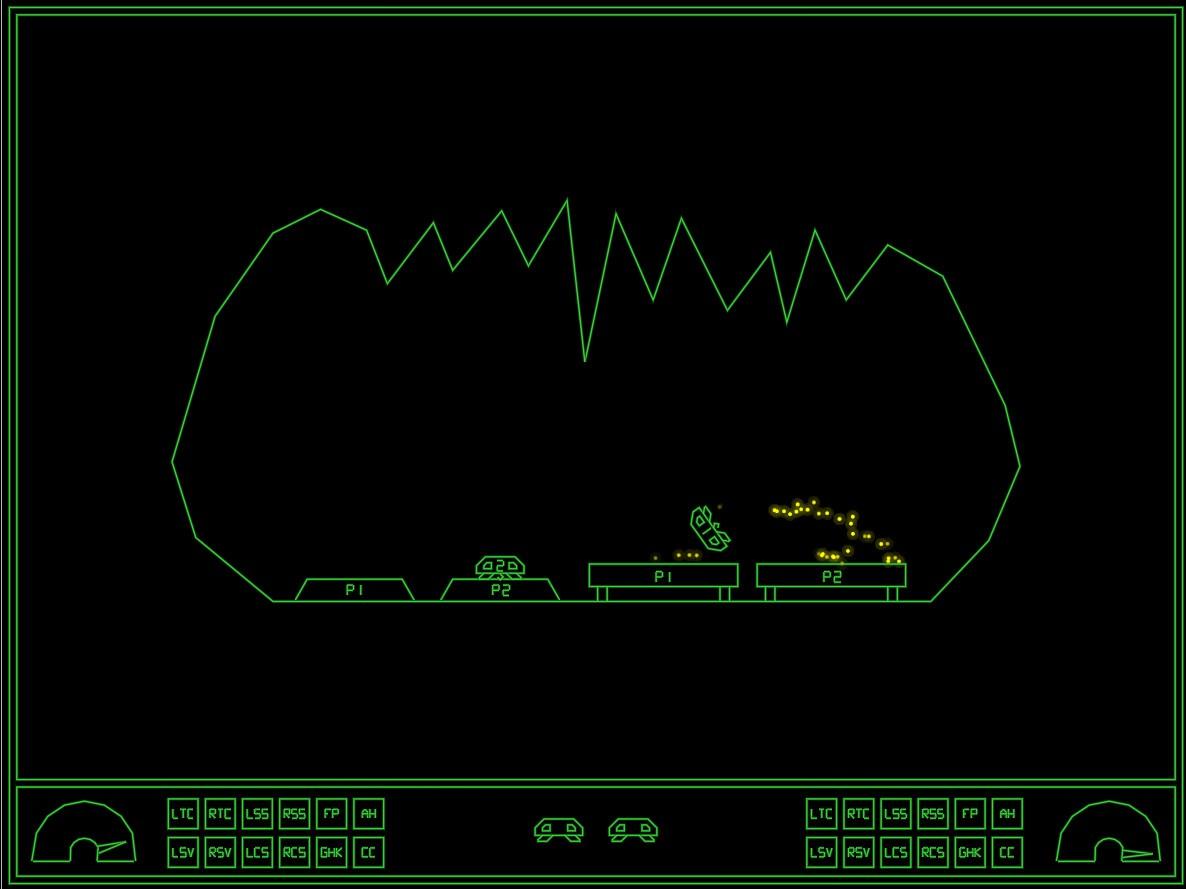
GravitreX started as a contender in the Swedish Game Awards Warm-up competition "80's Warm-up", which had 80's as its theme. GravitreX won that competition, and was later ported to Android. After a few years on Android, it was then turned into an arcade cabinet. Two or three cabinets still exist today, in different barcades in the Phoenix Arizona region. It has now come time to complete the circle and port it back to PC and Steam.This 2D physics simulation has you trying to land two ships on their respective platform. Like the old classic Lunar Lander, but much more difficult and more heavily physics based.Features:Two ships to land, even in singleplayerShips are equipped with a grabber which can be used to lift boxes or other shipsShips are also equipped with an AutoHover System which can be activated by holding down the Switch Ships button (B)Ships have lots of systems that can be damagedWhen damaged, a classic synthetic voice will say what systems are damagedThe voice warnings can be acknowledged (muted) by pressing a buttonAs this is the Arcade version, every play you will start on level oneExtra ships are awarded every 30k points35 levels of increasing difficulty. We are not kidding on this one.Perfect for Arcade Cabinets, can even be set up to accept coins (See 'If you happen to have an arcade cabinet' section below)Steam achievementsClassic arcade style highscore with initials, with online entries from your Steam friends (All-time), and Global (Today).The first five players to beat the game will make it onto the "Prime Five" list on the web pageControls:XBox 360 Controller:Bumpers = Thrusters(A) = Grabber(B) = Switch Ships / AutoHover (hold)(X) = Acknowledge warnings (until something else breaks!)(Y) = Self DestructKeyboard:Left/Right Control = ThrustersLeft Shift = GrabberRight Shift = Switch Ships / AutoHover (hold)TAB = Acknowledge warnings (until something else breaks!)X = Self DestructP2 keyboard controls:F/H = ThrustersR = GrabberU = Switch Ships / AutoHover (hold)E = Acknowledge warningsI = Self DestructNote: Playing two players on one keyboard will likely be crowded, these are more meant to be mapped to from an I-PAC or similar arcade button to keyboard key converter.Whoever first starts the game will become Player 1. Whoever next pushes a control will become Player 2. If Player 1 has switched ships Player 2 will control Ship 1 only until the end of the level. Starting next level, Player 1 controls Ship 1.Tips and tricks:A Ship that's been turned upside-down can usually be rescued using the grabber and the other ship. Don't immediately Self Destruct!Firing both thrusters simultaneously will stop the ship's rotation. If the ship is rotating to the right and you press both thrusters, only the right thruster will fire first, until the rotation has stopped. Unless, of course, the stabilizing system on that side is damaged.If both ships are destroyed at the same time, the level will be reset. Sometimes you will need to reset a level by...
How to activate
Go to: http://store.steampowered.com/ and download STEAM client Click "Install Steam" (from the upper right corner) Install and start application, login with your Account name and Password (create one if you don't have). Please follow these instructions to activate a new retail purchase on Steam: Launch Steam and log into your Steam account. Click the Games Menu. Choose Activate a Product on Steam... Follow the onscreen instructions to complete the process. After successful code verification go to the "MY GAMES" tab and start downloading.