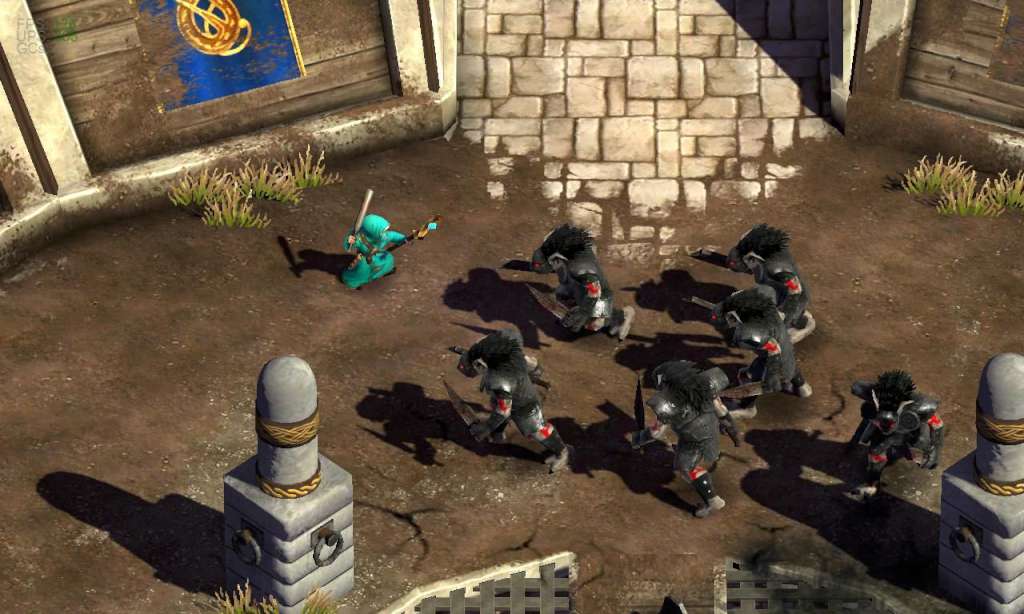
Magicka - Horror Props Item Pack DLC Steam CD Key
- Format
- Add-on (DLC), delivered as a code
- Platform
- Steam
- Region
- REGION FREE
- Filed under
- DLC & add-ons
- Availability
- 101 in stock with our supplier
- Delivery
- To your lounge and your e-mail once the order is paid
- Paid with
- Your Azvoro balance
- Entry number
- 369186
About this entry
Magicka - Horror Props Item Pack DLC Steam CD Key Platform: Steam Release Date: 29/11/2011 Product Description Requires the base game Magicka on Steam in order to play. An item pack filled with nasty things you would find at any ordinary horror movie set. Whether you prefer slashers or mad stories from the 1920s, this pack contains something for you. Features For use in the Challenge and Versus modes only. Chainsaw - Unfortunately this chainsaw requires an operational hand to wield Sickle of the Corn - Any fanatic child's weapon of choice Spicy Meatball - Goes KA-BOOM like nothing else Baseball Bat - Good for smashing office appliances Skull Club - We though about spoofing Pokémon but we did a club with a skull on it instead Tommy Gun - If you accidently unleash a daemon upon the world, make sure you have one of these Sinister - Looks the way it sounds Tyrants Axe - This very true axe will make you feel immortal Elf Slasher - An elf's worst nightmare Six Shooter - Fully loaded upon delivery Staff of the Infernal Abyss - Unleash unholy powers upon your foes System Requirements OS: Windows XP/Vista/7 (32- or 64-bit) Processor: Intel® Pentium® IV 2.4 GHz or AMD 3500+ Memory: 2 GB RAM Hard Disk Space: 2 GB Available Space Video Card: NVIDIA® GeForce 8800 or ATI Radeon® X1900 (Integrated Video Cards not recommended) DirectX®: DirectX 9 Sound: DirectX-compatible sound card Additional: 3-button mouse, keyboard and speakers. DSL Internet connection for multiplayer. .NET 3.5 required
Activation
Go to: http://store.steampowered.com/ and download STEAM client Click "Install Steam" (from the upper right corner) Install and start application, login with your Account name and Password (create one if you don't have). Please follow these instructions to activate a new retail purchase on Steam: Launch Steam and log into your Steam account. Click the Games Menu. Choose Activate a Product on Steam... Follow the onscreen instructions to complete the process. After successful code verification go to the "MY GAMES" tab and start downloading.