Product details
- Type
- DLC, delivered as a code
- Platform
- Steam
- Region
- REGION FREE
- Delivery
- To your account and email after payment
- Payment
- Azvoro balance
Description
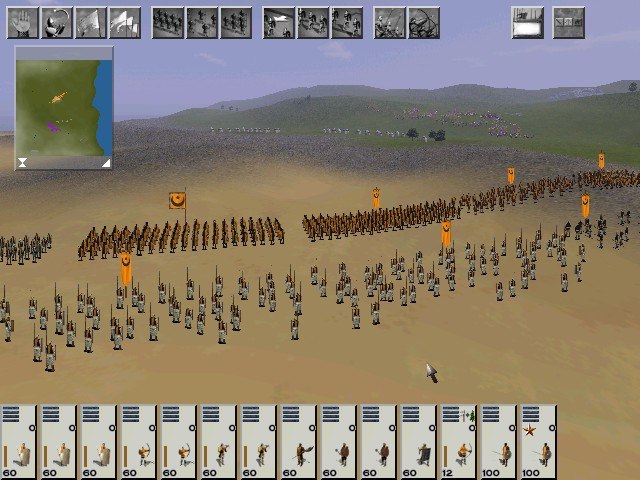
MEDIEVAL: Total War - Collection Edition is the compilation of the critically-acclaimed Medieval: Total War and its official expansion pack - Viking Invasion Medieval: Total War From the lush grasslands of Western Europe to the arid deserts of Northern Africa, and from the first Crusade to the fall of Constantinople, wage total war in order to expand your influence and secure your reign as you build a dynastic empire to stretch across four centuries. Recruit and deploy armies, besiege settlements, fight naval battles and employ agents such as emissaries, spies and assassins to aid with diplomacy, offer alliances or bribes, or execute more clandestine actions. A dramatic period of rebellion, civil war, and the birthing of nations provides the backdrop to your own scheme for ultimate power. Carve a niche for yourself through the crucible of battle and become the statesman and king the era demands. Medieval: Total War - Viking InvasionSet upon an extended map of the British Isles and western Scandinavia and taking place from 793 to 1066, Viking Invasion allows the player to assume the role of leader of the Viking faction as they raid, loot and pillage their way to supremacy. Alternatively the player may take control of early Anglo-Saxon factions, such as Wessex and Mercia, with the aim of repelling the Viking invasion and ultimately controlling the British Isles in its entirety.
How to activate
"Please remember that we are NOT responsible for any problems that may arise from purchasing and using Steam Gifts. You are doing it at your own risk. "Please note, that due to recent Valve Steam Gift policy update Steam Gifts for games that are covered by VAC ban program can no longer be added to Inventory. Make sure that you are logged in to the proper account before entering the link as Steam Gifts can be only added to your library or rejected. How do I use a Steam gift given to me? If you do not already have Steam, download and install Steam here. Once you have Steam installed, you will be prompted to create an account or login to an existing Steam account. If you do not have an account, please create one. You will receive an e-mail containing a link that will open Steam allowing you to redeem your gift. After clicking the link, you will receive a notification at the top right corner in the Steam client informing that you have a new gift.