Product details
- Type
- Game, delivered as a code
- Platform
- Xbox One
- Region
- REGION FREE
- Delivery
- To your account and email after payment
- Payment
- Azvoro balance
Description
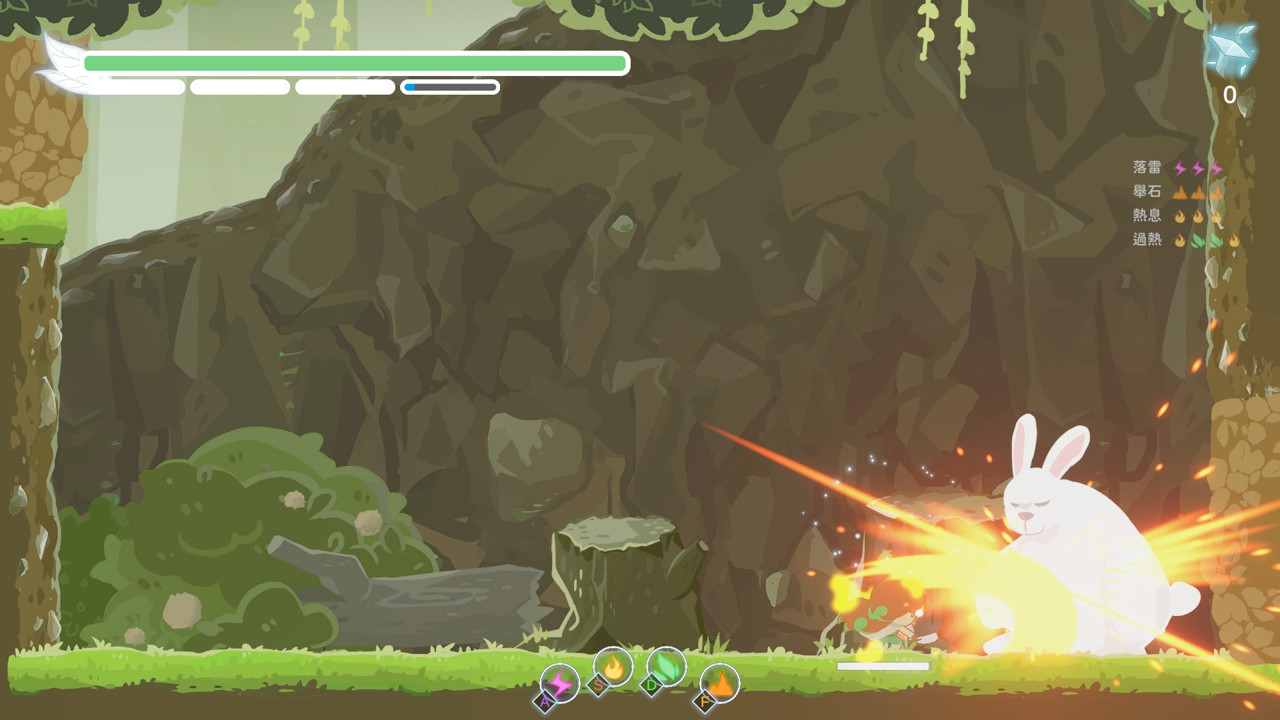
Silver Axe -The Honest Elf- is a classic 2D action game centered around Boss fights. Delve deep into the ancient fairytale forest, defeat dangerous Insomniac creatures, and embark on the journey to awaken the goddess.Based on one of Aesop's Fables "The Honest Woodman", fight strong enemies one after another in a fabulous fairytale world, recover the golden heart of the goddess and unleash the hidden power of your Silver Axe.Play as a free elf as you complete the quests given by the forest dwellers for additional help, like the weakness of your enemy, secret path for ambushing, or partners that fight alongside you.Choose either to enlist the help of the forest dwellers, or be an arrogant elf and clear the path with ancient powers. The story unfolds depending on your choices. Features: Unique magic system, cast spells freely by combining four magic keys. Levels designed around Boss fights with continuous battle experience. A fairy tale adventure and interactions with cute and humorous creatures. Smooth and responsive control which puts your gaming skills to the test. Multiple story branches and multiple endings, awaken the goddess and explore the secret of the forest.
How to activate
Use the credentials you received (directly or via an external website) and log into the account. Make sure that the content on the account is correct (correct edition of the game, no playtime etc.) Add the purchased account to your console and set it as Xbox home account: Purchased account has to be added as a new user, not as a guest30 Xbox Series X S How to Make Account Primary! Change the credentials to make the account your own: Change the email Change the password Add 2FANOTE: Applying any changes to the purchased account, such as adding a payment method or changing the region, may result in the account being banned. In such cases, no refund is applicable. Once the account is added to your console (as a Xbox home account), download the game and switch back to the account you would like to play from. This way your progress will be saved on the account you are using.* The account should be used as a way of accessing the game/content you are interested in. It is not recommended to use it as your main account, as you might have issues with making purchases on it. *Note: Some content available in the Special Editions like in-game currency, skins, bonuses etc. may not be accessible from your main account.