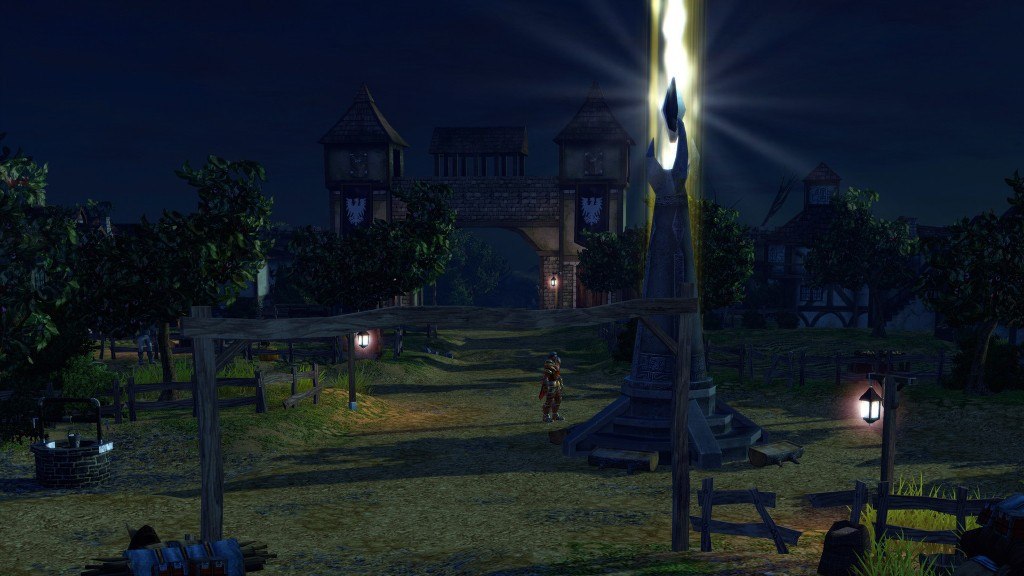
SpellForce 2 Faith in Destiny Scenario 1: Flink's Secret Diary DLC Steam CD Key
- Format
- Full game, delivered as a code
- Platform
- Steam
- Region
- REGION FREE
- Filed under
- PC games
- Availability
- 22 in stock with our supplier
- Delivery
- To your lounge and your e-mail once the order is paid
- Paid with
- Your Azvoro balance
- Entry number
- 856865
About this entry
SpellForce 2 Faith in Destiny Scenario 1: Flink's Secret Diary DLC Steam Key Platform: Steam Languages: EN/DE Release Date: 17 Dec 2012 Product Description This product requires base game SpellForce 2 Faith in Destiny in order to play. For the first time in SpellForce, you play not as the hero to tell his story, but rather as one of the NPCs. The stories of the scenarios are set before Faith in Destiny and are briefly mentioned there. The scenarios pick up these discussions of their past and tell these stories in detail. Flink's Secret Diary Order Master Matricus has recorded his secrets of fire magic in a Fire Ledger a powerful artifact. This compendium grants its owner the powers of fire magic. But the orcs have stolen it. Flink McWinter, a famous thief and scoundrel from the SpellForce universe, was hired by Matricus (or so he claims) to steal back the Fire Ledger. He quickly realizes that this will unfortunately not be an easy task, even for a master thief such as he... Features Play the "true" story of Flink McWinter ... or at least his version of events At least 4 hours of genuine SpellForce feel on Flink's home island Experience a thrilling and humorous story full of orcs, barbarians, thieves, and Flink's mother, as well as wine, women, and song 60 % RPG and 40 % RTS with lots of puzzles and tricky situations System Requirements Minimum: OS:Win XP, Vista, Win7 Processor:Intel Pentium ® IV 1.5 GHz Memory:2 GB RAM Graphics:3D graphics card with 128 MB RAM (compatible with GeForce 4 Ti or higher) DirectX®:9.0c Hard Drive:5 GB HD space
Activation
Go to: http://store.steampowered.com/ and download STEAM client Click "Install Steam" (from the upper right corner) Install and start application, login with your Account name and Password (create one if you don't have). Please follow these instructions to activate a new retail purchase on Steam: Launch Steam and log into your Steam account. Click the Games Menu. Choose Activate a Product on Steam... Follow the onscreen instructions to complete the process. After successful code verification go to the "MY GAMES" tab and start downloading.