Product details
- Type
- Game, delivered as a code
- Platform
- Steam
- Region
- REGION FREE
- Delivery
- To your account and email after payment
- Payment
- Azvoro balance
Description
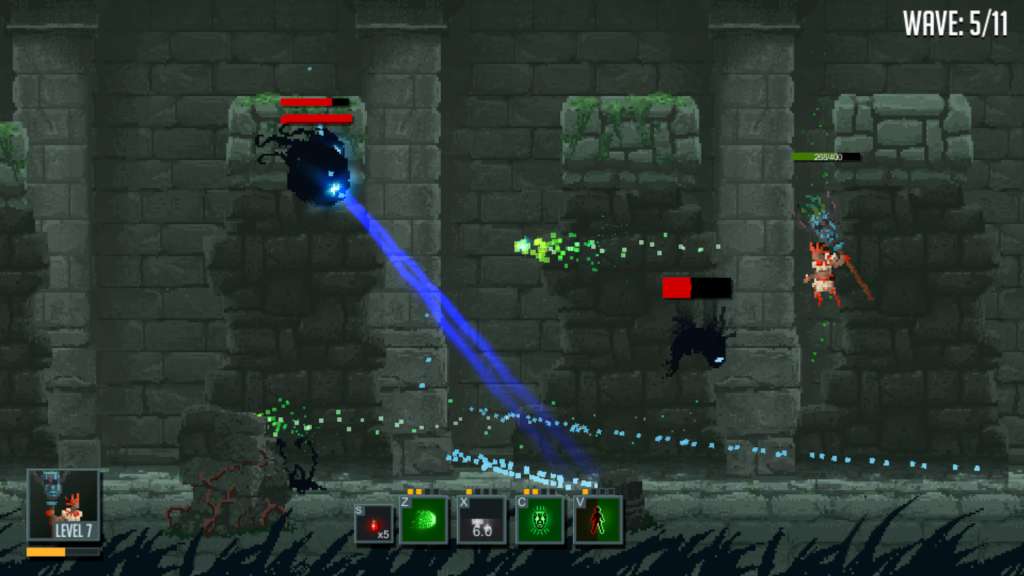
Warlocks vs Shadows Steam Gift Platform: Steam Release Date: 17/03/2015 Product Description Warlocks vs Shadows is an action RPG/brawler game set in a fantasy world invaded by shadow monsters. Playing as an incredibly powerful Warlock and, by using magic skills and weapons, you fight through hordes of enemies. The game places great focus on co-op and versus play between players, where you can fight in 1-4 player DeathMatch or in teams of 1v1 or 2v2. In the singleplayer/co-op campaign you have to clear your way through 5 different dimensions with unique enemies, bosses, and environments. You level up your character by slaying evil monsters and getting better and better items. Features Pixel art graphics 1-4 players (co-op, versus) Online co-op mode Procedurally generated loot 5 different worlds to explore 10 playable characters with different gameplay System Requirements PC System Requirements OS: Windows Vista Processor: Intel(R) Core(TM)2 Duo 1.8 Ghz or equivalent Memory: 2 GB RAM Graphics: NVIDIA GeForce 9400M 256MB DirectX: Version 9.0 Hard Drive: 1200 MB available space Sound Card: DirectX compatible Mac System Requirements OS: OSX 10.6 Processor: Intel(R) Core(TM)2 Duo 2.2 Ghz or equivalent Memory: 2 GB RAM Graphics: NVIDIA GeForce 9400M 256MB Hard Drive: 1500 MB available space Sound Card: Integrated Linux / SteamOS System Requirements OS: Ubuntu 12.04 Processor: Intel(R) Core(TM)2 Duo 1.8 Ghz or equivalent Memory: 2 GB RAM Graphics: NVIDIA GeForce 9400M 256MB Hard Drive: 1500 MB available space Sound Card: Integrated
How to activate
"Please remember that we are NOT responsible for any problems that may arise from purchasing and using Steam Gifts. You are doing it at your own risk. "Please note, that due to recent Valve https://support.steampowered.com/kb_article.php?ref=1327-WUJX-5722 Steam Gifts for games that are covered by VAC ban program can no longer be added to Inventory. Make sure that you are logged in to the proper account before entering the link as Steam Gifts can be only added to your library or rejected. How do I use a Steam gift given to me? If you do not already have Steam, download and install Steam http://store.steampowered.com/about/. Once you have Steam installed, you will be prompted to create an account or login to an existing Steam account. If you do not have an account, please create one. You will receive an e-mail containing a link that will open Steam allowing you to redeem your gift. After clicking the link, you will receive a notification at the top right corner in the Steam client informing that you have a new gift.